orography
sequence migration$30 USDmacOS (coming soon)Windows (coming soon)
trace a melodic landscape and scale it
run circles around a peak or traverse the entire ridgeline
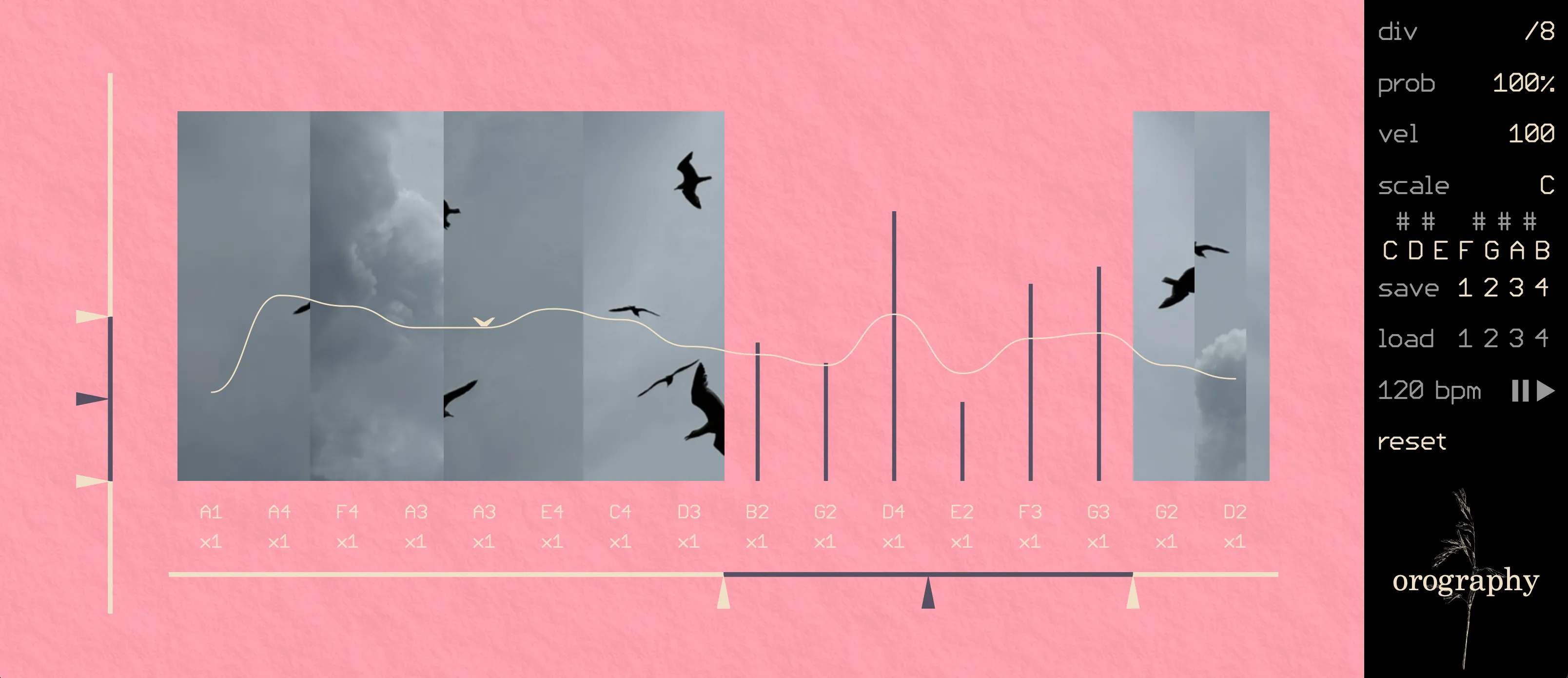
orography is a MIDI sequencer for improvisatory melodic creation. Create a melodic shape with its 16 sliders, then manipulate it by offsetting and scaling the range of that shape, or by selecting a smaller loop to explore. Change the pitch quantization, step multiplication, and probability to find new perspectives on the shape. Save favourite contours then morph them to discover new variations.
orography is available as a VST3, AU, and standalone plugin.
Orography grew out of a hunger for sequencers that emphasize improvisation and exploration more than predictability. In orography, it’s hard to dial in a single note, but easy to quickly transform a musical gesture into a new harmonic or rhythmic form.
The earliest version was written in winter 2022 for the monome norns, grid, and 16n midi controller. Since then, I’ve been performing regularly with it, refining the core interaction of creating a melodic shape then exploring it by shifting the gesture through harmonic and melodic spaces. The open-source norns version will be available soon on lines.
Orography is a MIDI sequencer that controls synthesizers but doesn’t produce its own sound. This means that it needs slightly different setup than audio-based plugins.
Ableton Live
- Use VST3 format
- Load orography as an instrument on its own MIDI track
- On a second MIDI track load a synth
- On the second MIDI track set:
- MIDI From → orography
- Next dropdown → orography (rather than pre/post fx)
- Monitor → In
- To record MIDI output, arm the second track
Logic Pro
- Use AU format
- Create a software instrument track with the desired sound
- Then add orography as a MIDI FX on that track
Reaper
- Use VST3 or AU format
- Load orography in FX
- Load synth below in the same FX chain, or as a MIDI send from the orography track to the synth’s track
FL Studio
- Use VST3 format
- Load orography and set a MIDI output port in orography’s wrapper settings
- Set the same port as the MIDI input of the synth’s wrapper
Cubase/Studio Pro
- Use VST3
- Insert orography as an instrument
- Insert synth on a second instrument track
- Set synth MIDI input to match orography output
Pro Tools
- AAX is not currently supported
Standalone
- Set MIDI out in app
- Set receiving app to match
- Control tempo and playback with internal clock
- Right click to map MIDI
The guide is coming soon.
The video is coming soon.